Fitting and Alignment#
Template matching can recover the orientation of a reference inside a target density. The reference can be an atomic structure or another density map, and both flow through the same pipeline. This page walks through both cases and then shows how to refine results to sub-voxel precision.
Atomic Structures#
We use EMD:0244 and PDB:6HMS to illustrate the fitting of an atomic structure into a density map. Download both from EMDB or from the command line.
wget https://ftp.ebi.ac.uk/pub/databases/emdb/structures/EMD-0244/map/emd_0244.map.gz
wget https://files.rcsb.org/download/6HMS.pdb
Since the structure is already in the correct orientation, we first simulate a translation and rotation
from tme import Structure
from tme.rotations import get_rotation_matrices

rotation_matrix = get_rotation_matrices(40)[32].T

structure = Structure.from_file("6HMS.pdb")
structure_mod = structure.rigid_transform(
    rotation_matrix = rotation_matrix,
    translation = (-15, 10, 0)
)
structure_mod.to_file("6HMS_mod.pdb")
The following fits the perturbed structure into the density map to recover the original orientation.
pytme match \
    -m emd_0244.map.gz \
    -i 6HMS_mod.pdb \
    -n 4 \
    -a 40 \
    --centering \
    -o output.pickle
The orientation with the highest score, which in this case matches the original, can be extracted from the pickle file.
pytme postprocess \
    --input-file output.pickle \
    --num-peaks 1 \
    --output-format alignment \
    --output-prefix 6HMS_fit
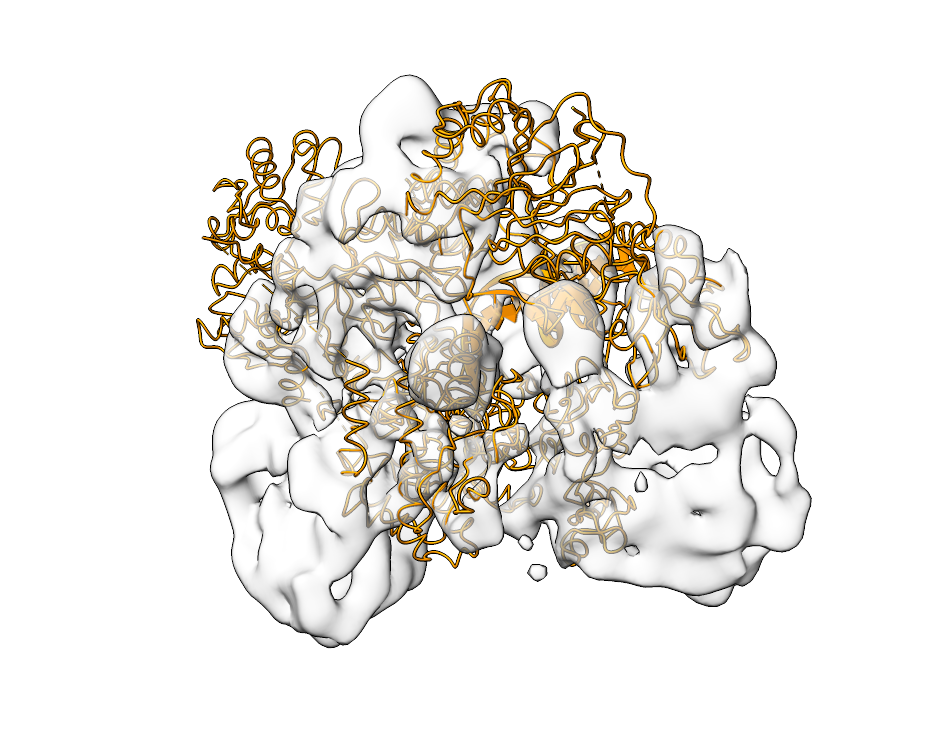
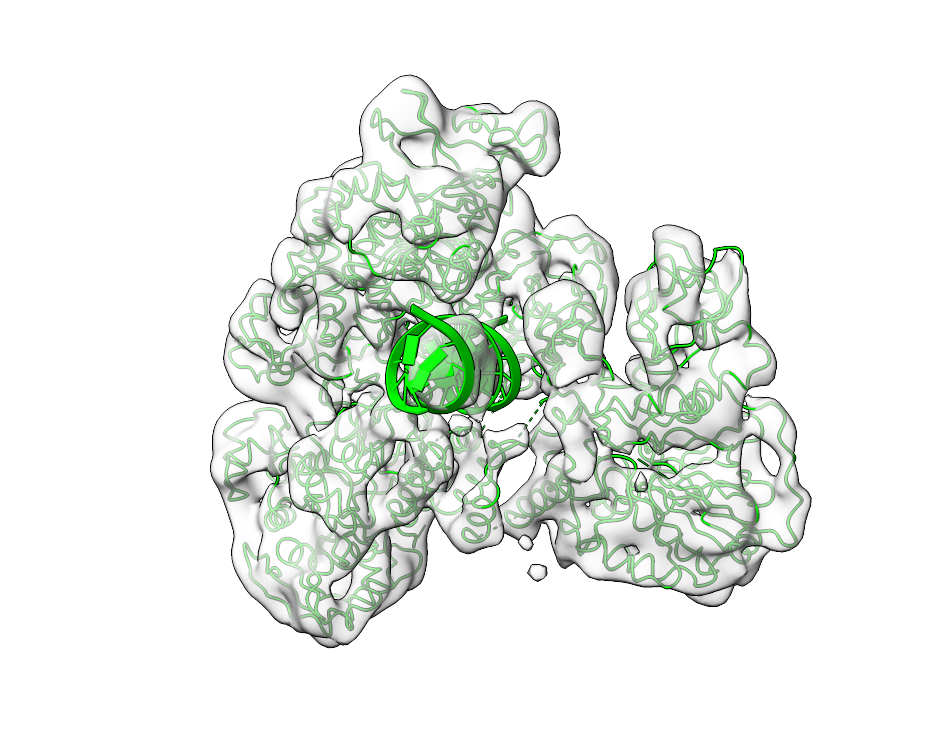
The fitting output is shown below. The left side shows the input map together with the perturbed 6HMS_mod.pdb. The right side shows the fit recovered by pytme.
Density into Density#
The same pipeline works when both reference and target are density maps. We use EMD:15271 to illustrate.
wget https://ftp.ebi.ac.uk/pub/databases/emdb/structures/EMD-15271/map/emd_15271.map.gz
We first simulate a translation and rotation of the map.
import numpy as np
from tme import Density
from tme.rotations import get_rotation_matrices

rotation_matrix = get_rotation_matrices(40)[32].T

density = Density.from_file("emd_15271.map.gz")
density = density.centered(0)  # ensure enough room for rotation
density_mod = density.rigid_transform(
    rotation_matrix = rotation_matrix
)
density_mod.origin = np.add(
    density.origin, np.multiply((-10, 5, 0), density.sampling_rate)
)

density.to_file("emd_15271.mrc")
density_mod.to_file("emd_15271_mod.mrc")
The following recovers the orientation between the densities.
pytme match \
    -m emd_15271.mrc \
    -i emd_15271_mod.mrc \
    -a 40 \
    -n 4
The orientation with the highest score is again extracted from the pickle file.
pytme postprocess \
    --input-file output.pickle \
    --num-peaks 1 \
    --output-format alignment \
    --output-prefix emd_15271_fit
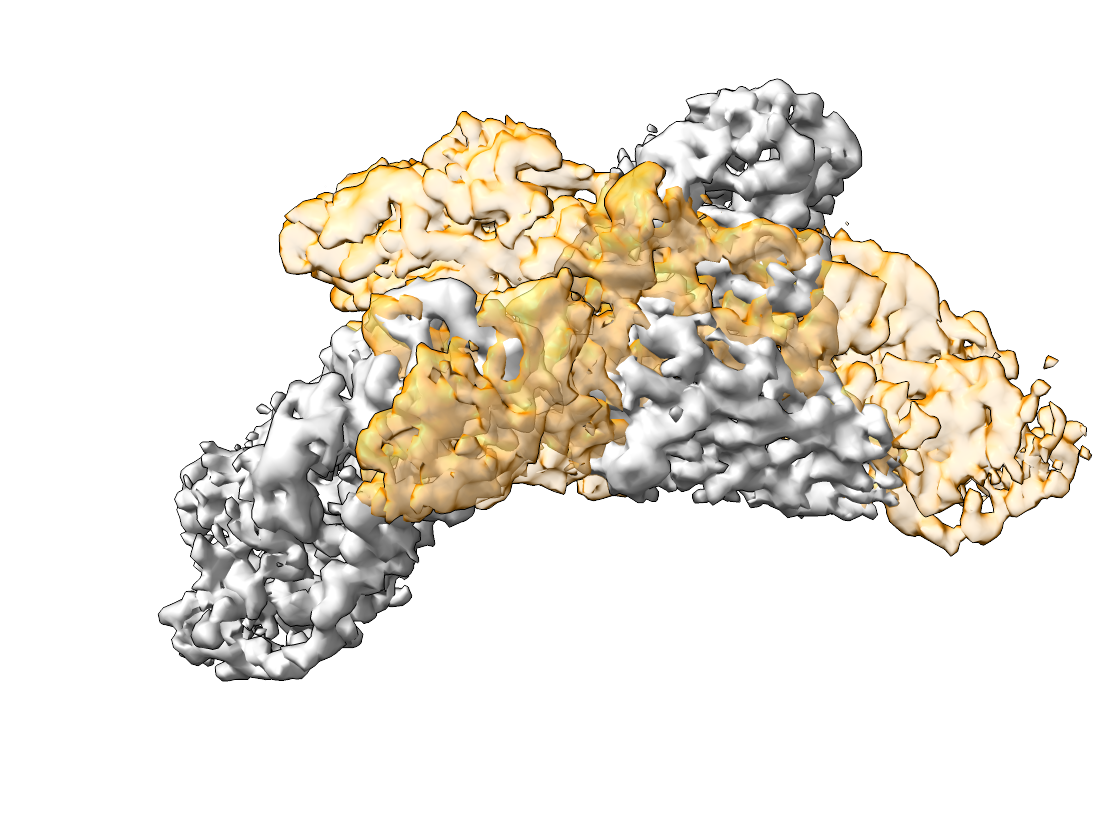
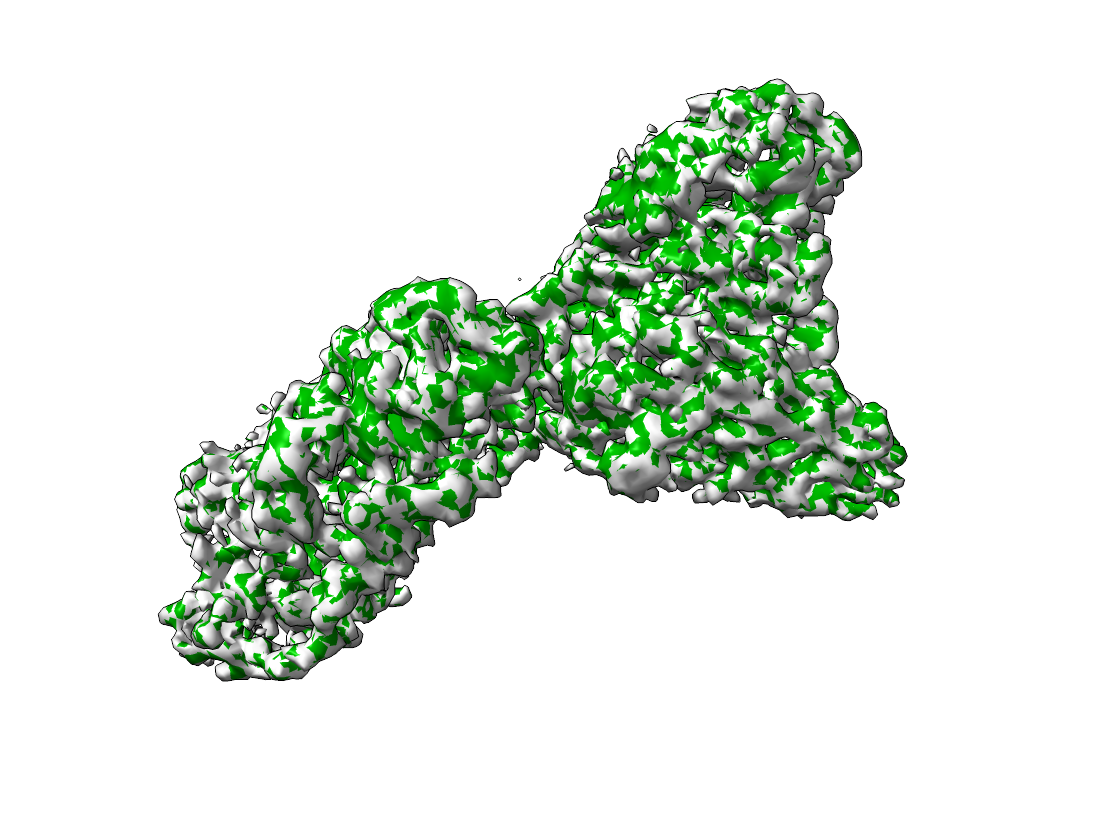
The aligned densities are shown below. The left side shows the input map and emd_15271_mod.mrc. The right side shows the output of pytme.
Refinement#
pytme offers two routes to sub-voxel precision after the initial match.
(1) Local optimisation uses basin-hopping to refine translation and rotation around an initial peak. It is most useful for small numbers of high-quality candidates.
pytme postprocess \
    --input-file results.pickle \
    --num-peaks 1 \
    --local-optimization \
    --output-format alignment
(2) For sub-voxel precision across a larger candidate set, peak oversampling upsamples around each peak. A factor of 2 yields half-voxel precision.
pytme postprocess \
    --input-file results.pickle \
    --num-peaks 1 \
    --peak-oversampling 2 \
    --output-format alignment